 Stepsmith
 For Windows 10 and 11 · A Steps Recorder replacement
Do the task once.
Get a step-by-step guide.
Stepsmith watches you work and turns every click into a numbered step, with a screenshot and a plain-language instruction. Blur sensitive data, annotate, and export to PDF, Word, HTML or Markdown, all on your PC.
- Works offline
- Nothing uploaded
- One-time purchase
- 14-day free Pro trial
Free to download. Pro is a one-time purchase.
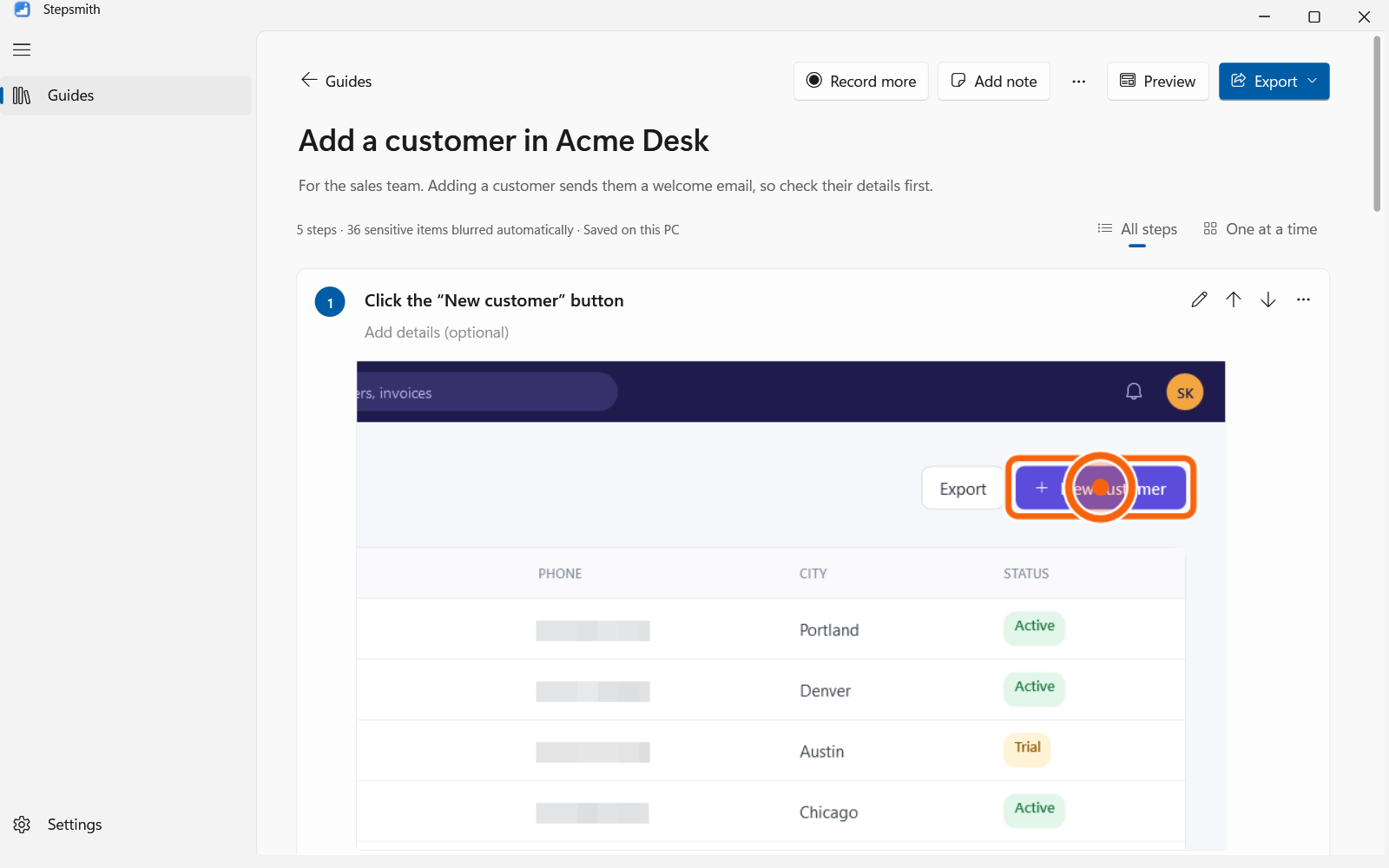
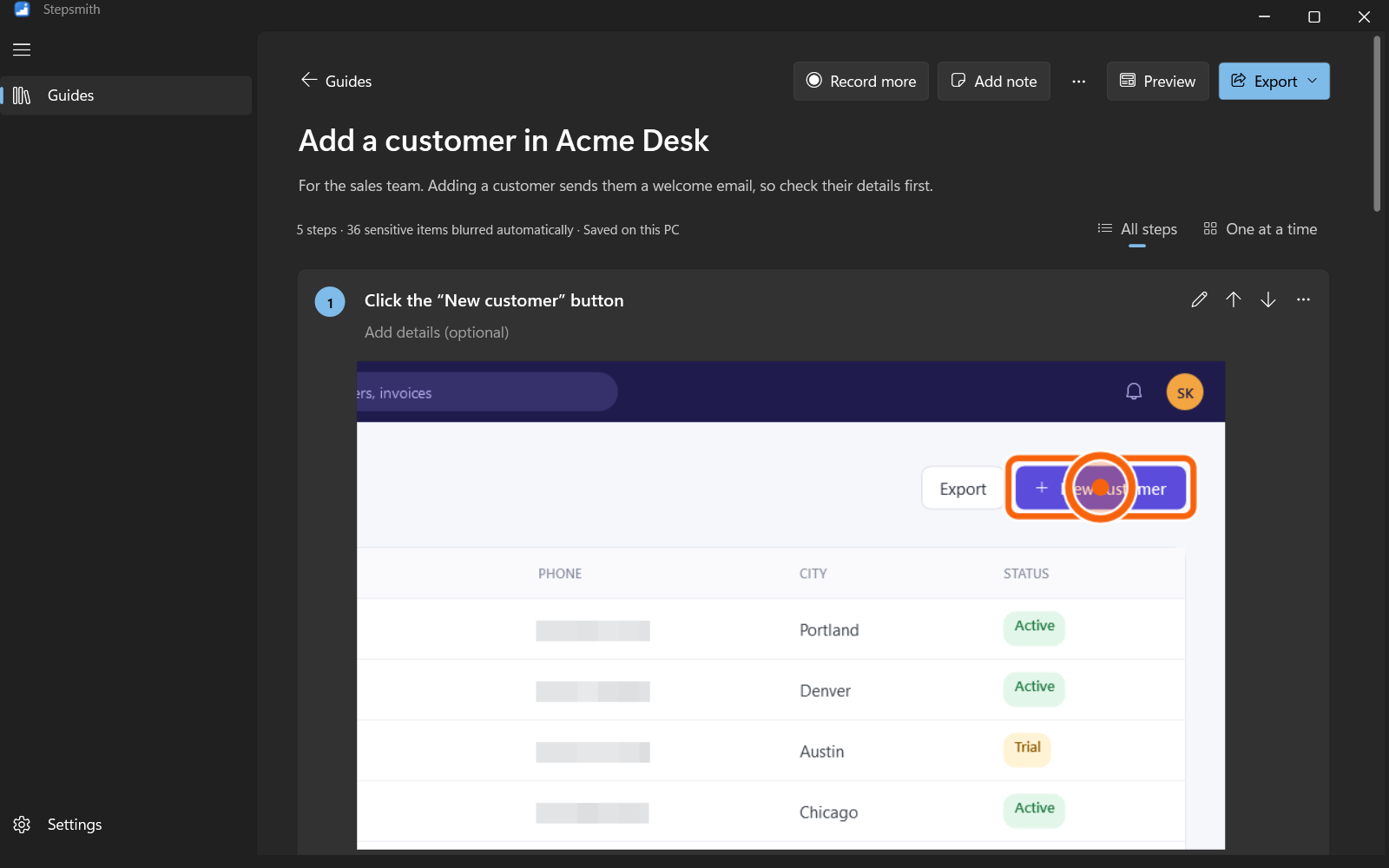
How it works
Three steps, and the guide writes itself
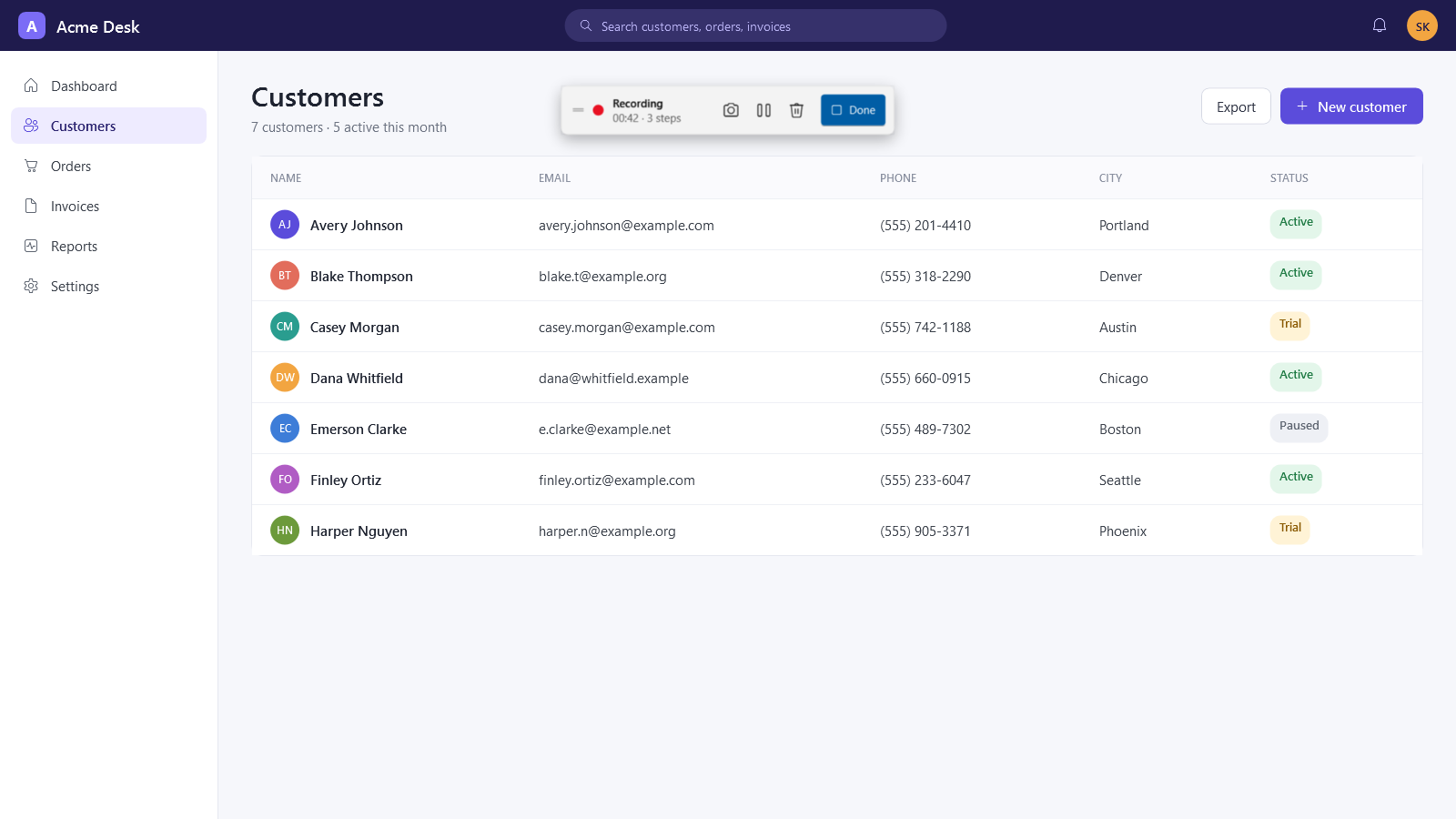
Record
Click New recording and do the task as usual. A small toolbar keeps time and never appears in your screenshots.
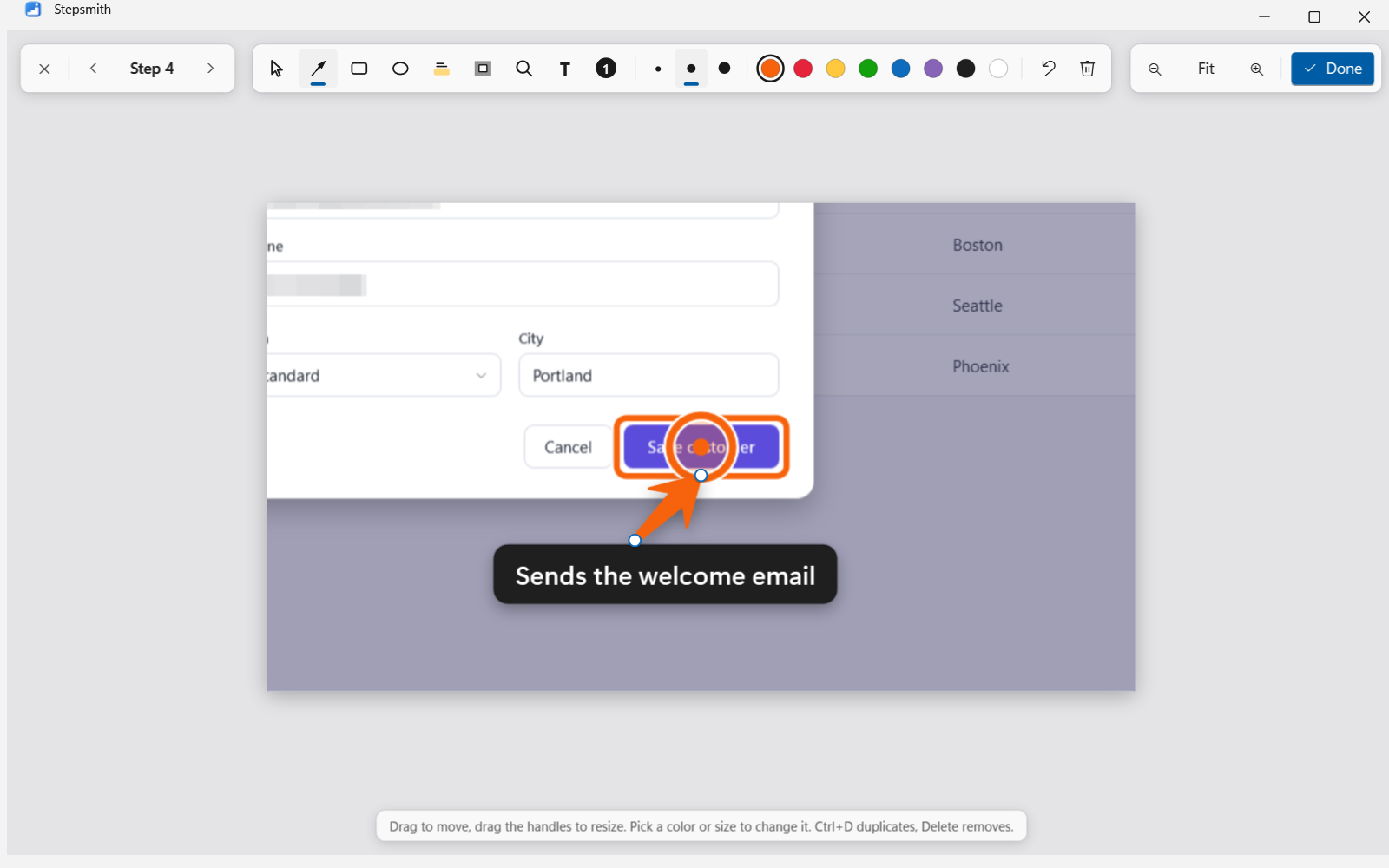
Refine
Every step is written for you. Add tips and warnings, arrows and spotlights, or blur anything else.
Share
Preview the result, then export to PDF, Word, HTML or Markdown. Readers need nothing installed.
Automatic
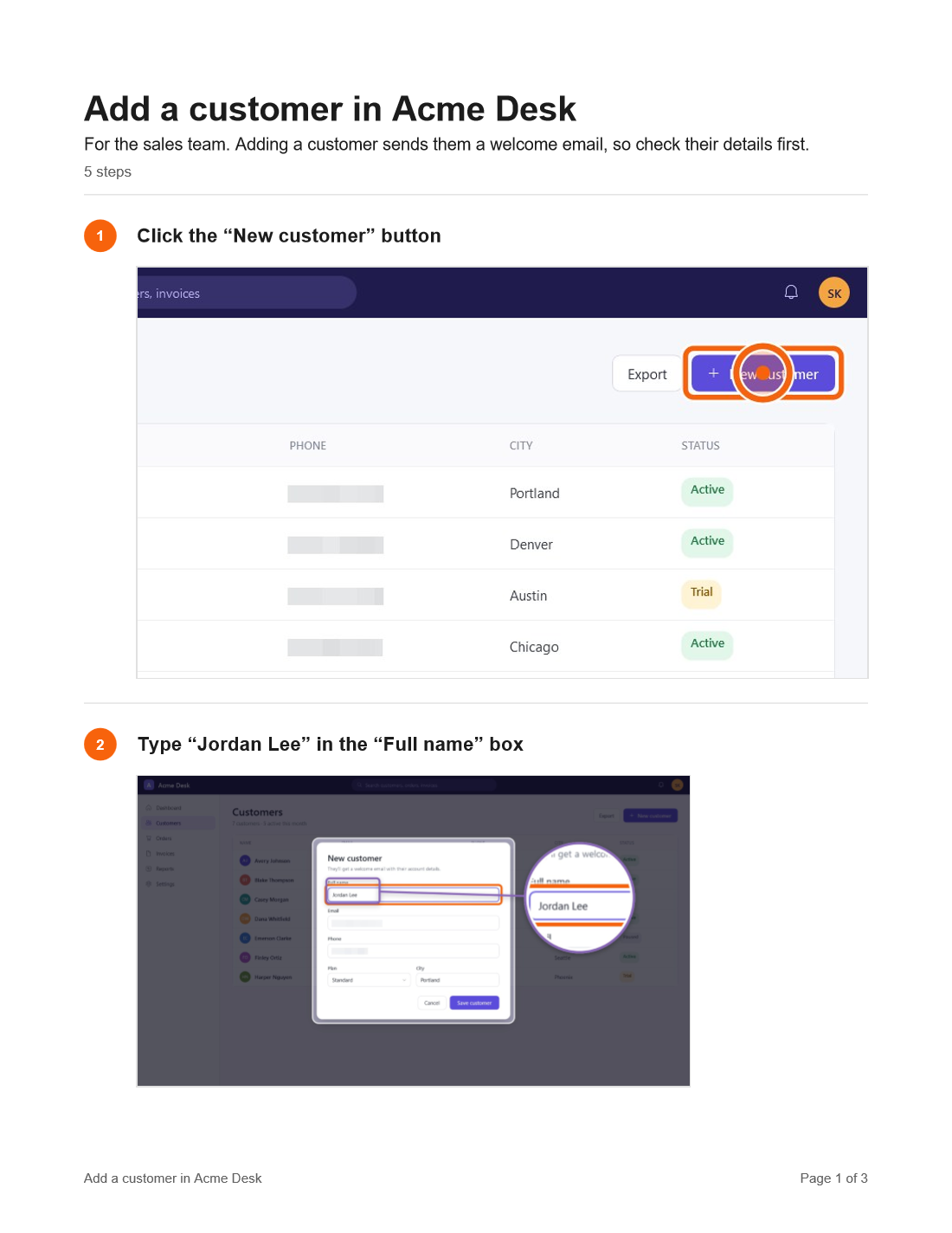
Steps written for you, without AI
Windows reports exactly what you clicked: its name, type and app. So clicks become “Click the Save button”, typing becomes “Type ‘quarterly report’ in the Search box”, and shortcuts become “Press Ctrl+S”. It's precise, instant, and never leaves your PC.
- Typing grouped into one step
- Password fields never recorded
- Work through long guides one step at a time
Annotations
Point out exactly what matters
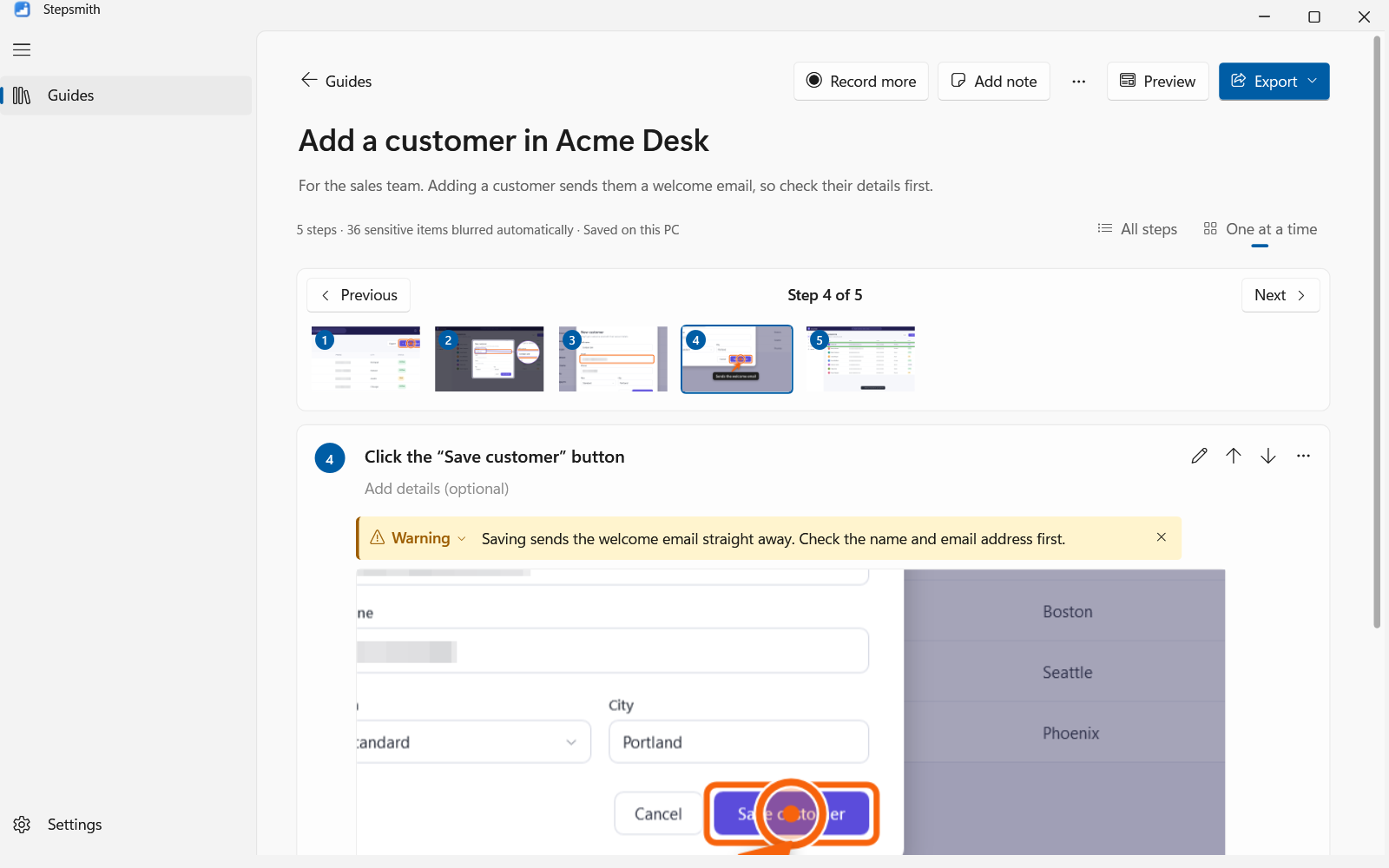
Tapered arrows, boxes, a highlighter, text labels and numbered badges, all with soft shadows. Spotlight dims everything except the area that matters, and Magnifier shows a tiny button large in a round lens.
- Resize and move marks with handles
- Small, medium and large sizes, eight colors
- Exactly the same in every export
Privacy
Sensitive information is blurred before it's saved
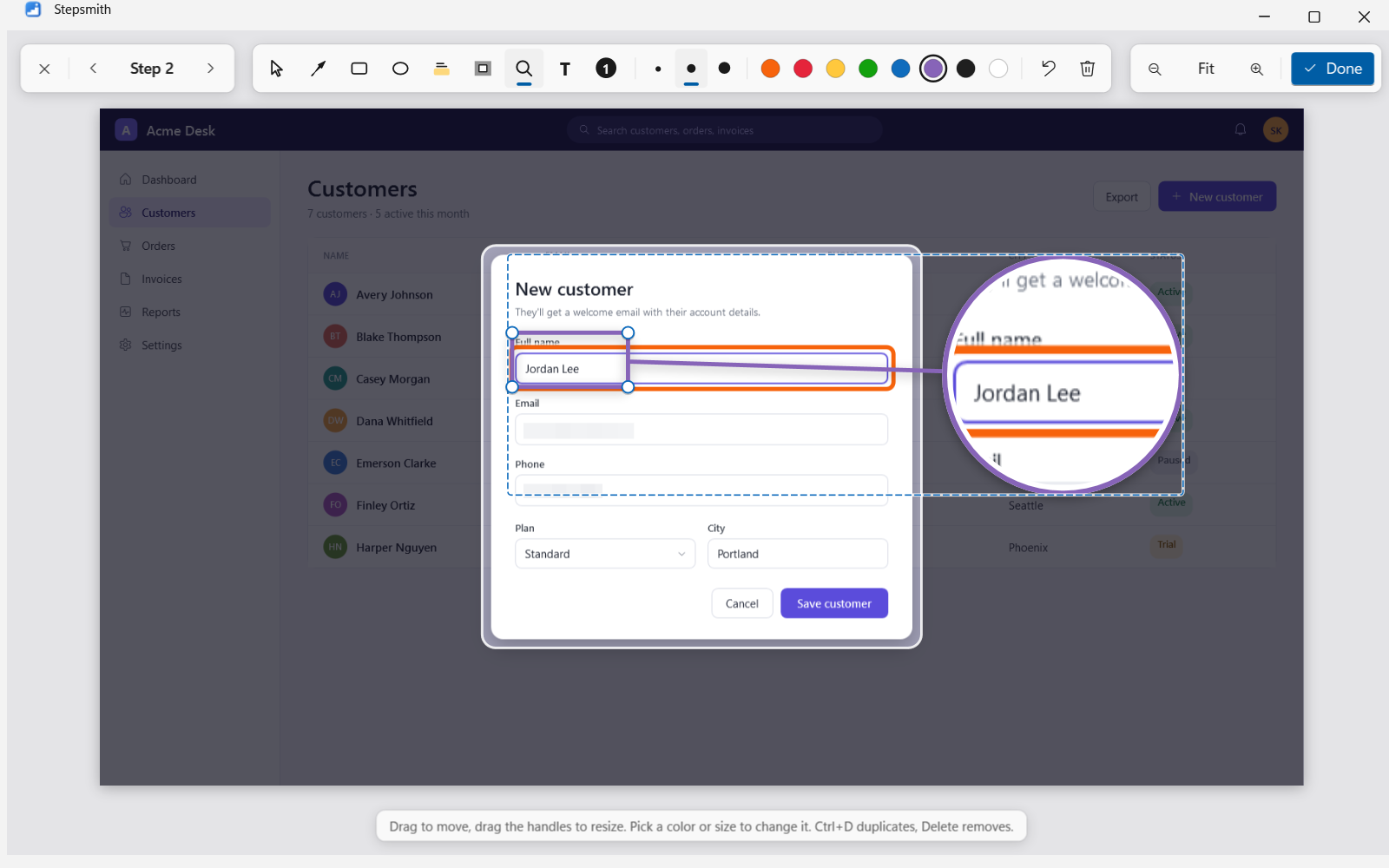
As each screenshot is taken, on-device text recognition finds email addresses, phone and card numbers, bank accounts, IP addresses and ID numbers, and covers them with a solid block, so the text can't be recovered. The original pixels never reach the disk.
- Runs on your PC with Windows' own text recognition
- Blur anything else by dragging over it
- Typed emails and card numbers are masked in step titles
- In terminals and remote desktops, typed text is left out of steps
Readable
Even full-screen screenshots are easy to read
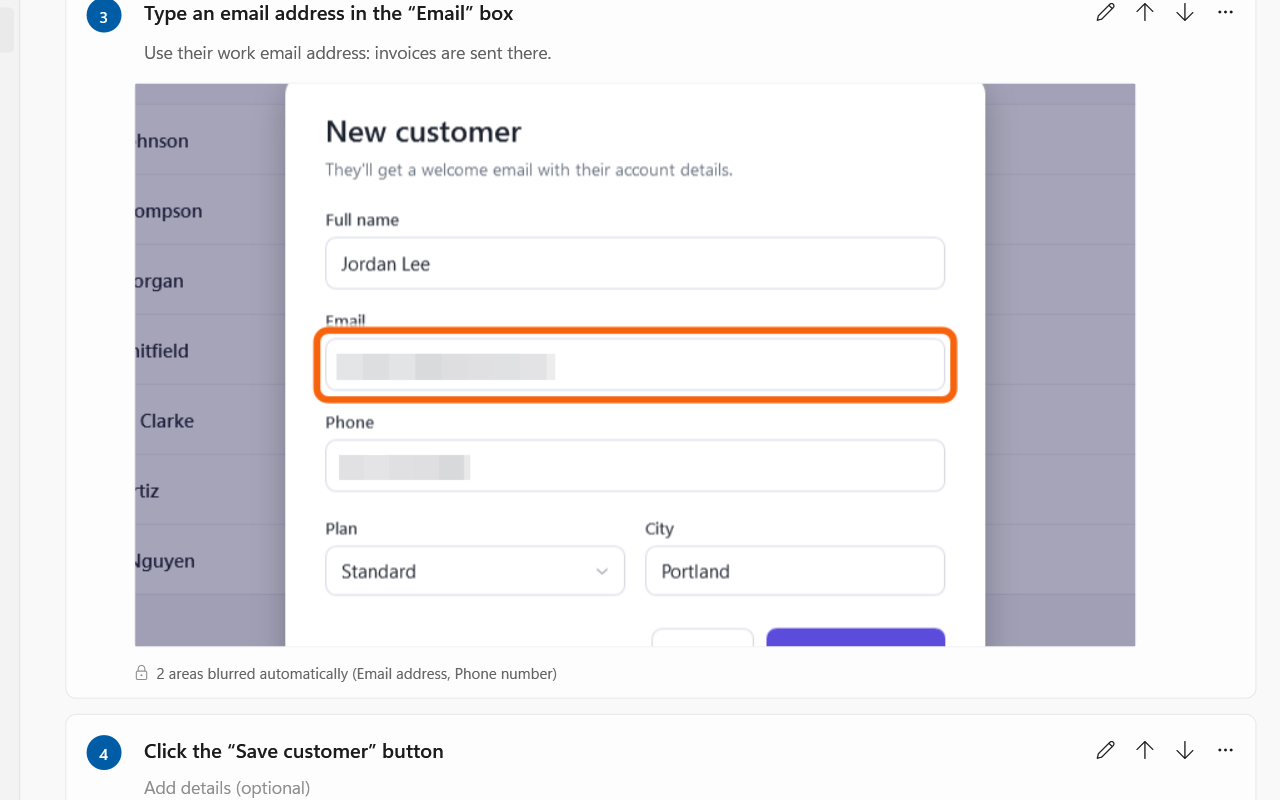
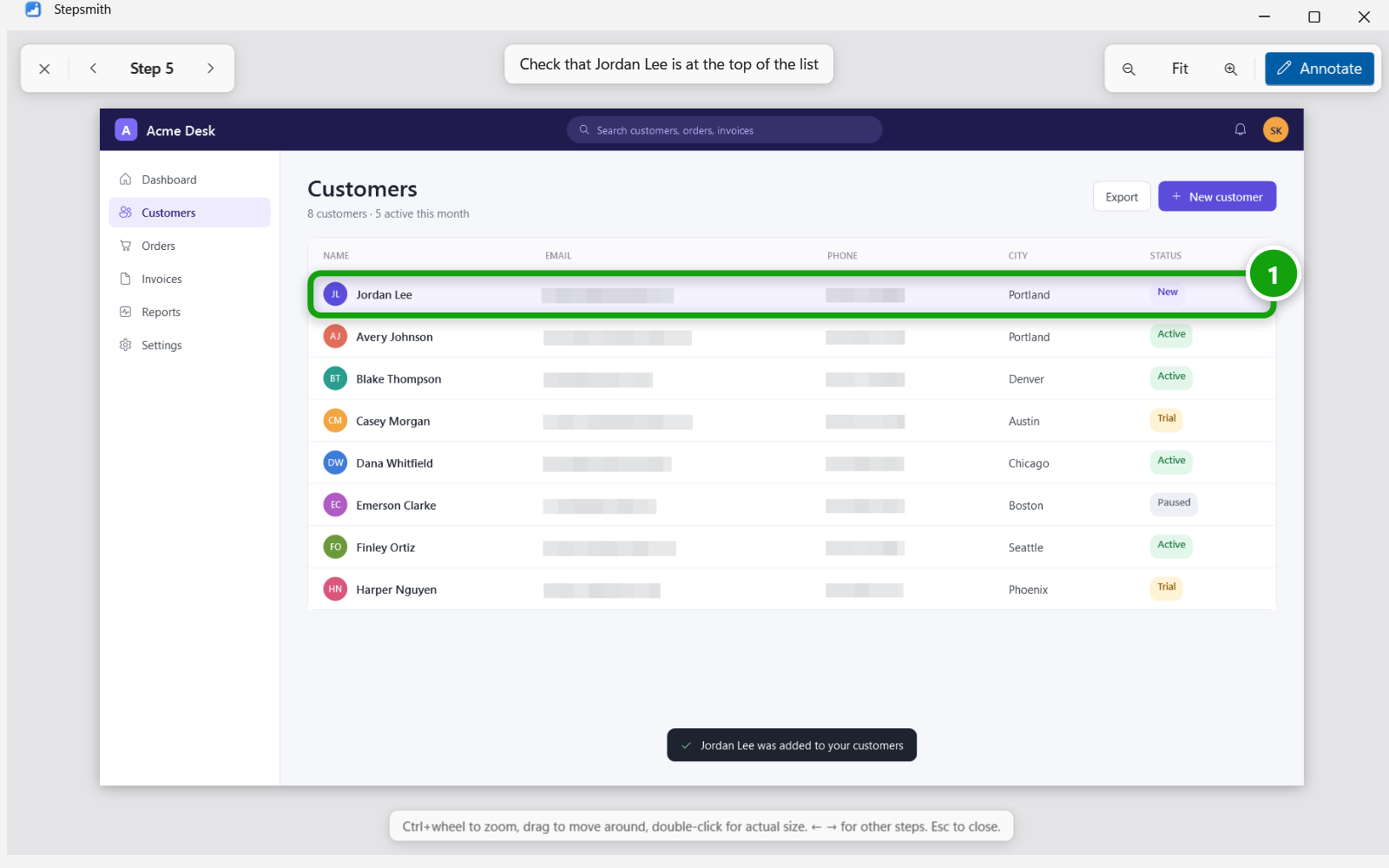
New recordings zoom in on what you clicked, while keeping the full screenshot. Click any screenshot to open it full-window, zoom and pan, and move between steps with the arrow keys.
- Automatic zoom on the click
- Crop by dragging, or show it all again
- Full-window viewer with zoom
Clarity
Tips, info and warnings readers can't miss
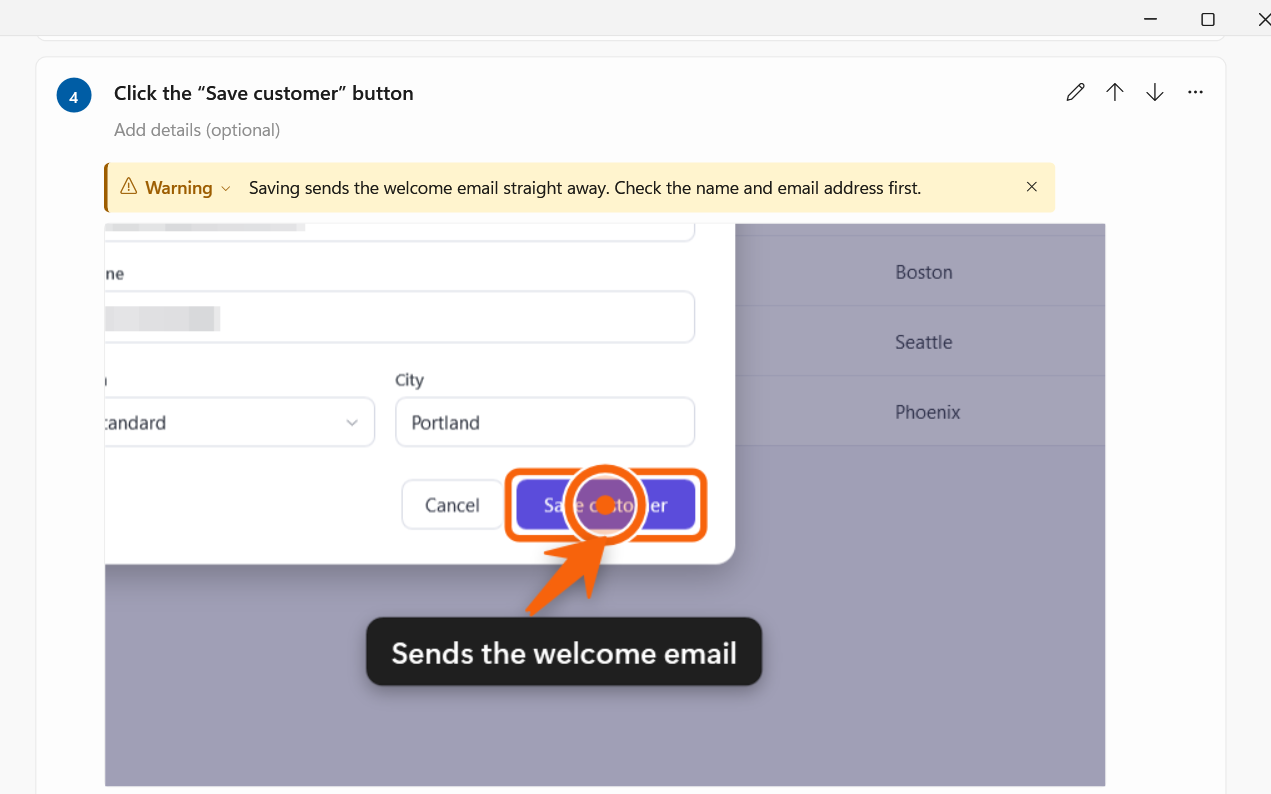
Add a highlighted Tip, Info or Warning box to any step. Warnings sit above the screenshot, so readers see them before they click.
- Matching colors in PDF, Word, HTML and Markdown
- Word styles you can restyle with your template
Export
See every page before you send it
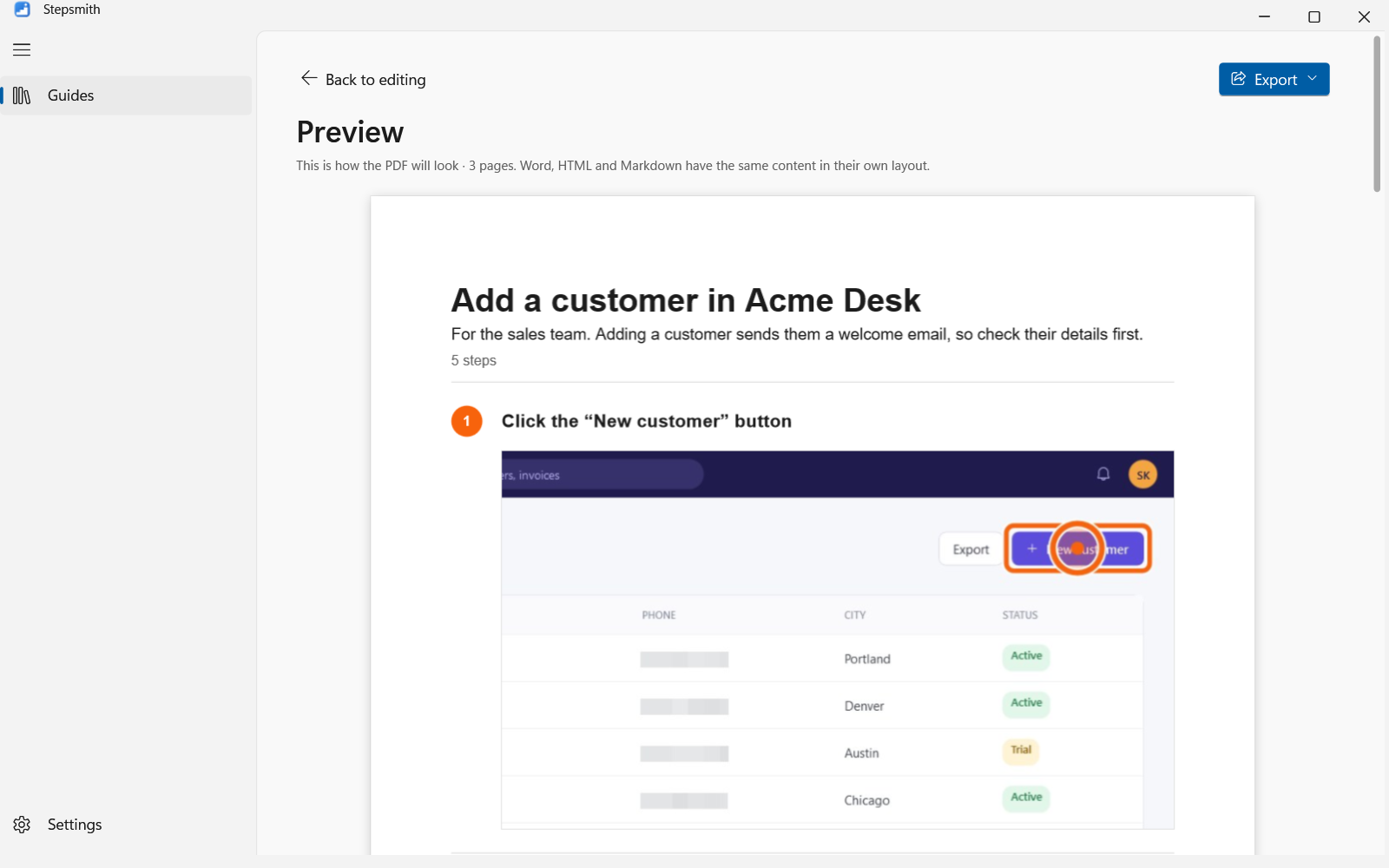
Preview shows the guide exactly as the PDF will look. Then export a PDF with selectable text, an editable Word document, a single web page that opens anywhere, or Markdown for wikis and Git.
- PDF, Word (.docx), HTML and Markdown
- PDFs in any language, from Cyrillic to Chinese
- Each step kept together with its screenshot
- Every format in the free edition
Steps Recorder replacement
Still using psr.exe?
Microsoft has deprecated Windows Steps Recorder, and its suggested replacements record video instead of steps. Stepsmith keeps what made Steps Recorder useful, recording a task as clicks and screenshots, and adds what it never had.
- Edit titles, add notes and reorder steps
- Instructions in plain language
- Sensitive details blurred automatically
- Arrows, spotlights and magnifiers
- PDF, Word, HTML and Markdown
- Still offline, still on your PC
Who it's for
Built for teams that can't put screenshots in the cloud
IT help desks and MSPs
Runbooks, how-to articles and ticket reproduction steps, made in the time it takes to do the fix once.
Healthcare
Training for clinical and records systems, with patient details blurred before anything is saved.
Finance and insurance
Standard operating procedures for back-office systems that can't be screenshotted into the cloud.
Government and regulated teams
Works on locked-down and offline networks. No account, no uploads, nothing to approve with IT.
Software QA
Exact bug reproduction steps, with every click and keystroke written down and illustrated.
Trainers and consultants
Polished guides for clients. Pro adds watermarks and traceable export IDs to every copy.
Compare
How Stepsmith compares
| Feature | Stepsmith | Cloud step recorders | Windows Steps Recorder |
|---|---|---|---|
| Works fully offline | |||
| Writes each step for you | Basic | ||
| Blurs sensitive information automatically | On your PC | Some plans | |
| Annotations, crop and zoom | |||
| Edit, reorder and add notes | |||
| Export to PDF, Word, HTML and Markdown | Varies by plan | MHTML only | |
| Price | One-time | Monthly, per user | Being removed |
Cloud step recorders: typical features of popular browser-based tools as of October 2026. Individual products and plans differ.
Stepsmith Pro
Every copy says who exported it
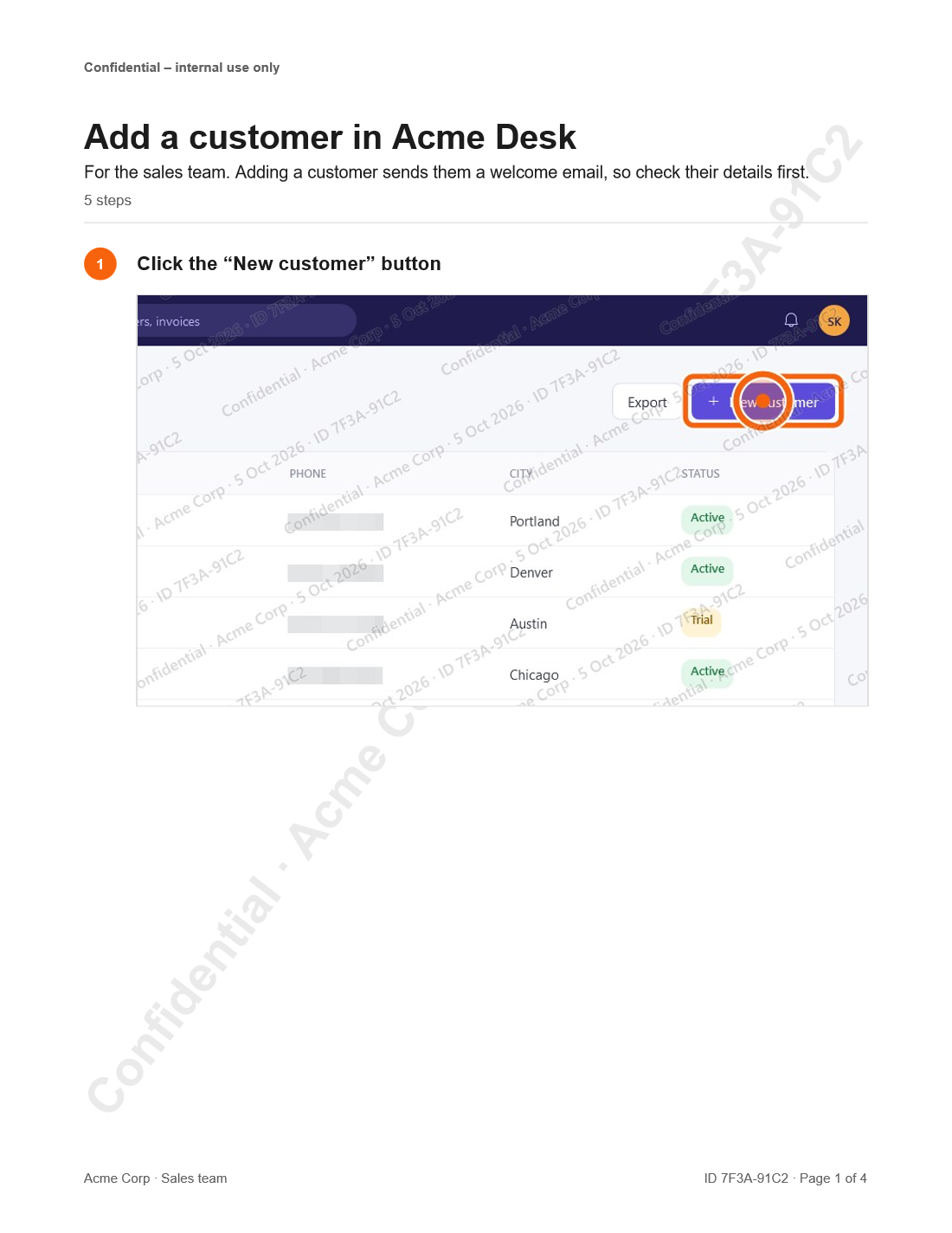
No software can stop someone photographing a screen. Pro is about deterrence and traceability: watermarks burned into every screenshot, a unique export ID on every page, and a log that tells you who exported a leaked guide, and when.
- Watermarks burned into every screenshot
- Unique export ID on every page
- Export log to trace leaked guides
- Header and footer classification text
- PDF encryption and Word read-only
- No “Made with Stepsmith” credit
Try Pro free for 14 days from Settings. No account or sign-up needed.
Pricing
Pay once. Updates included, forever.
No subscription. Prices in USD; tax is added at checkout where it applies.
Free
$0
Forever
- Recording, editing, annotations and blurring
- PDF, Word, HTML and Markdown export
- No time limit
- Small “Made with Stepsmith” line on exports
Pro
$79once
One user, on one PC. One-time purchase with lifetime updates.
- Watermarks burned into every screenshot
- Unique export ID on every page
- Export log to trace leaked guides
- Header and footer classification text
- PDF encryption and Word read-only
- No “Made with Stepsmith” credit
Business
$129per seat
2–100 seats on one key, one PC per seat. One-time purchase with lifetime updates.
- Everything in Pro
- One multi-seat license key for the team
- Priority email support
30-day money-back guarantee. See the refund policy.
FAQ
Questions, answered
Does Stepsmith upload my screenshots?
No. Recording, text recognition, blurring, editing and export all happen on your PC, and your guides are files in a folder you choose. The only network requests are for a license: the key and an anonymous code for your PC are sent once when you activate it, so a license isn't used on more PCs than it was bought for, and the key alone is checked about once a week to catch refunded licenses.
Does it work without an internet connection?
Yes. Everything works offline. Activating a Pro license needs the internet once; for a PC that's never online, you can activate from any other device. Pro keeps working without internet.
Is it a replacement for Windows Steps Recorder?
Yes. Microsoft has deprecated Steps Recorder (psr.exe). Stepsmith records the same way, by watching your clicks, and adds editing, automatic blurring, annotations and export to PDF, Word, HTML and Markdown.
Which versions of Windows does it run on?
Windows 11, and Windows 10 version 2004 or later, 64-bit. It records desktop apps and browsers; step names come from Windows UI Automation, which most apps support.
Can I try it before buying?
Yes. The free edition has no time limit and includes every export format, with a small “Made with Stepsmith” line. New installs can also turn on a 14-day Pro trial from Settings, with no account or sign-up.
How many PCs can I use a license on?
Pro is for one person on one PC. Business gives each seat one PC. To move a license, choose Remove license in Settings on the old PC, then activate it on the new one.
Do I have to pay for updates?
No. Every license is a one-time purchase that includes all future updates and new versions of your edition.
What if it isn't right for me?
Ask for a refund within 30 days of purchase. See the refund policy for details.
Your next guide takes as long as the task itself.
Start free, with every export format. Upgrade to Pro when you need watermarks and traceable exports.